FitBuddy

An AI calorie counter and workout log in one iPhone app

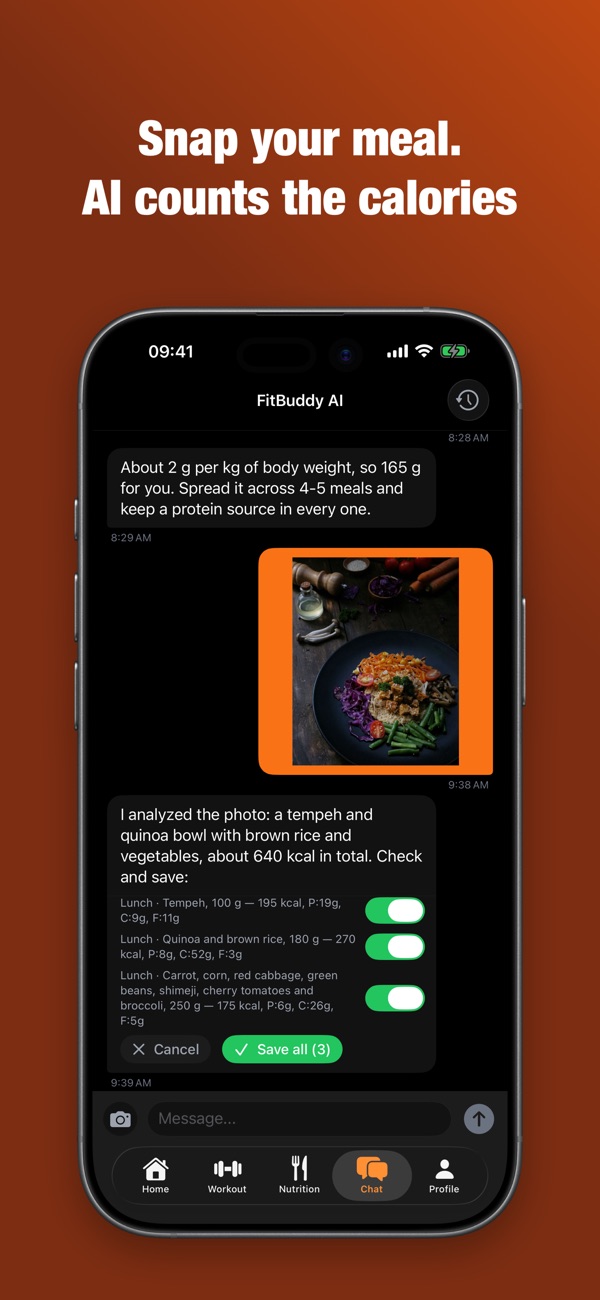
Snap a photo of your food or describe it in words, and the AI coach counts calories, protein, carbs and fat and logs the meal to your food diary. Workouts, exercises and progress live in the same app.

FitBuddy AI coach chat: a food photo is analyzed and about 640 kcal are counted

What FitBuddy does

Nutrition

A food diary where the calories count themselves.

  • Calories from a photo: camera or photo library
  • Text meal logging: several meals in one message
  • Barcode scanner and food search, favorites and custom foods
  • Food diary by breakfast, lunch, dinner and snacks; browse any day
  • Move, repeat or delete meals, with undo
  • Calorie and macro targets from your RMR and deficit or surplus
  • Water, coffee and tea tracker with a daily goal
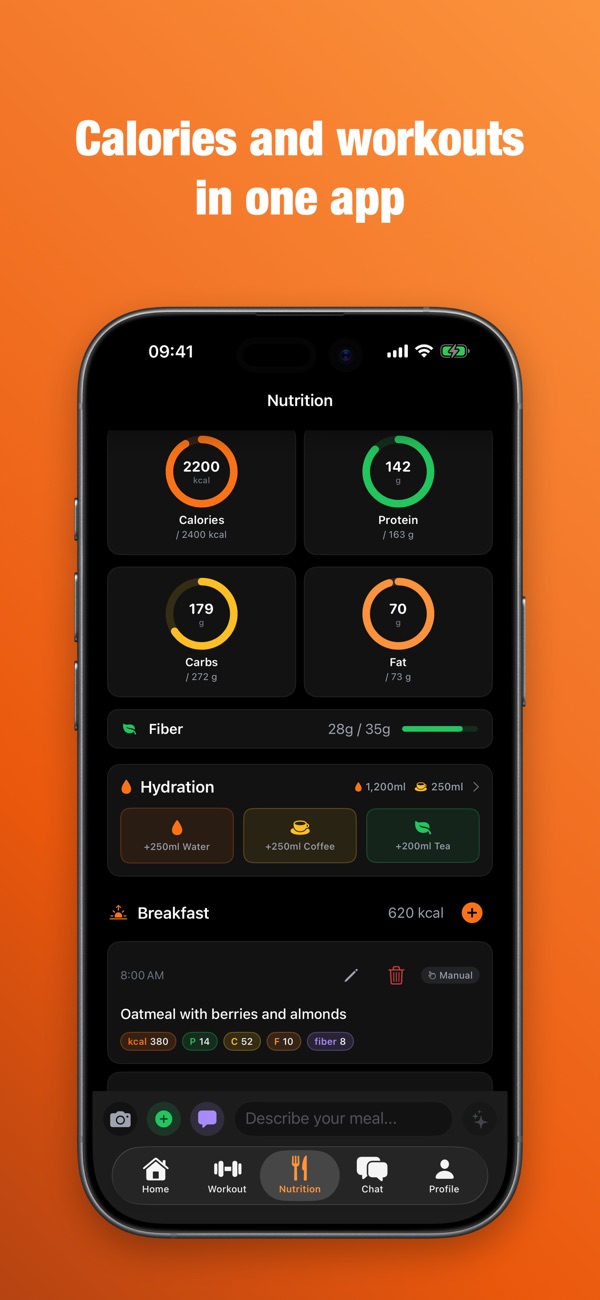
FitBuddy Nutrition screen: calorie, protein, carb and fat rings, hydration and a logged breakfast

Workouts

A workout log for the gym and for home.

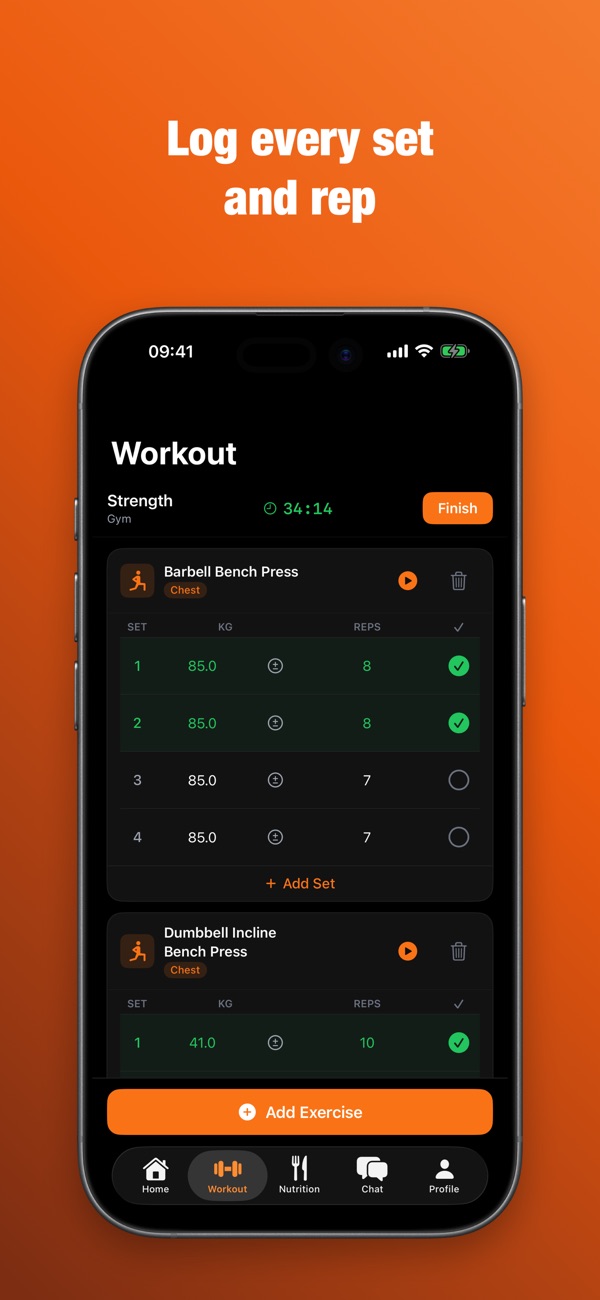
  • Log sets, reps and weight; pick the workout type and location, home or gym
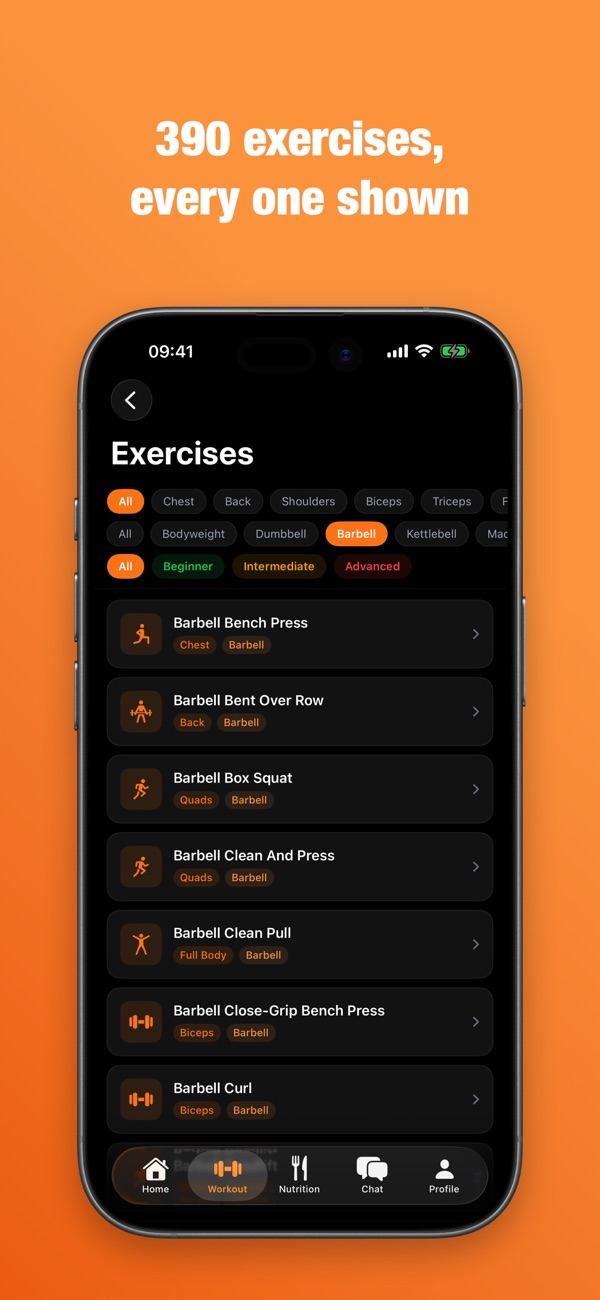
  • 390 exercises with video or animated demos: bodyweight, dumbbells, barbell, machines
  • Filters by muscle group, equipment and difficulty
  • Rest timer and weight calculator
  • AI workout generator for gym or home (Pro)
An active strength workout in FitBuddy: sets with weight and reps and an Add set buttonThe FitBuddy library of 390 exercises with muscle, equipment and difficulty filters

AI coach

A coach chat that does not just answer, it logs for you.

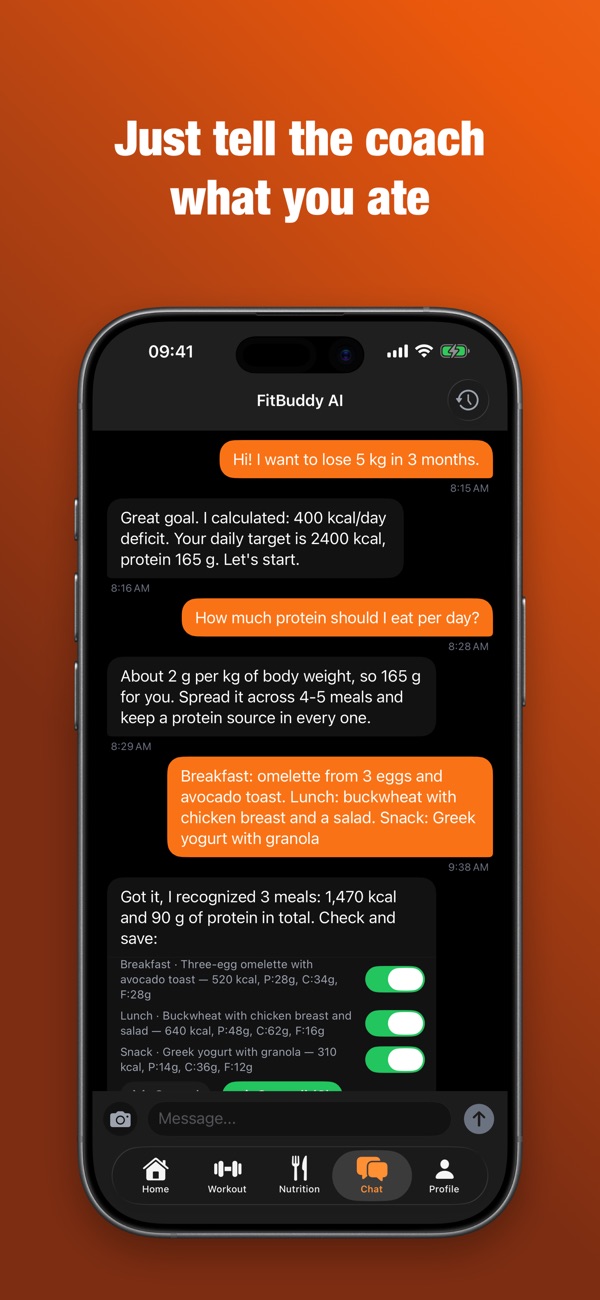
  • Tell the coach what you ate and it logs the meal; "delete dinner" or "repeat yesterday's breakfast" work too
  • Attach a photo of your meal
  • Actions come with a confirmation and an undo
  • Personal daily tips and smart reminders (Pro)
FitBuddy AI coach chat: a weight-loss goal, a protein target and three meals logged with a confirmation

Progress

Trends you can see on charts.

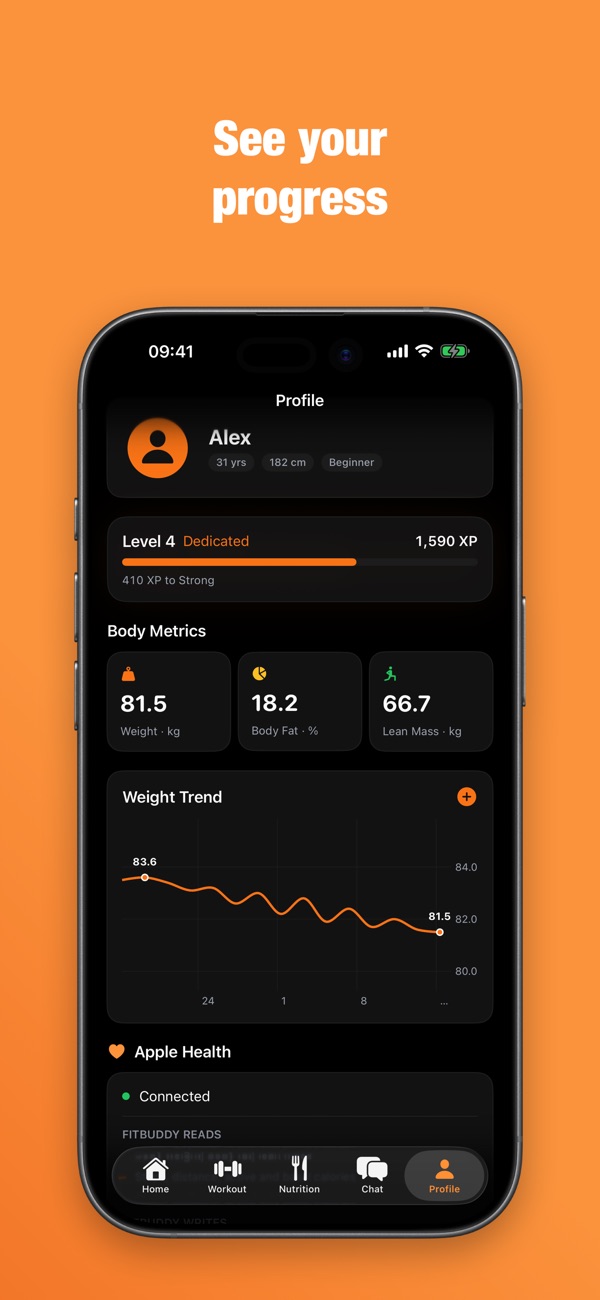
  • Charts for weight, body fat, training volume and calories
  • Personal records per exercise
  • Achievements, levels and streaks
FitBuddy profile: level with XP, body metrics and a weight trend chart

Apple Health and iCloud

Data from Apple Health and a backup in iCloud.

  • Weight, activity and sleep from Apple Health; calories, macros and water are written back to Health
  • Your data is stored in iCloud and restored on a new iPhone
  • Apple Health measurements are stored separately on the device and are not synced to iCloud
The Apple Health section of the FitBuddy profile showing the Connected status

Free and Pro

Free

  • Everything except the Pro features listed below: food and workout diaries, barcode scanner, 390 exercises, progress charts, Apple Health and iCloud
  • Every week: 3 food photo scans, 5 AI coach messages, 5 AI text meal parses

Pro

  • Removes the weekly limits on AI requests
  • AI workout generator
  • A daily AI insight on the home screen
  • Smart AI reminders
  • Floating AI button for quick questions from any screen

Pro is available as a monthly or annual subscription (14-day free trial) or a one-time lifetime purchase. The price is shown in the App Store before you buy.

Frequently asked questions

Is there a calorie counter that works from a photo?

Yes. In FitBuddy you can photograph your food with the camera or pick a photo from your library, optionally adding a text hint. The AI coach recognizes the meal and counts calories, protein, carbs and fat; you review the result and save it to your food diary. The coach chats in English and Ukrainian.

How much does FitBuddy cost and what is free?

The app is a free download from the App Store. The free plan includes the food and workout diaries, barcode scanner, 390 exercises, progress charts, Apple Health and iCloud. AI features have weekly limits: 3 food photo scans, 5 AI coach messages and 5 AI text meal parses. Pro removes those limits and adds the AI workout generator, a daily AI insight and smart reminders. Pro is a monthly or annual subscription (14-day free trial) or a one-time lifetime purchase; the App Store shows the current price before you buy.

Does FitBuddy work with Apple Health?

Yes. FitBuddy reads weight, body fat, activity, steps, sleep and other metrics from Apple Health, and writes calories, protein, fat, carbs, water, weight and body fat back to Health.

Is my Apple Health data synced to iCloud?

Apple Health measurements are stored in a separate on-device store and are not synced. Values that end up in your profile (for example weight or height prefilled during onboarding) sync with iCloud when sync is on.

Can I keep a workout log for both the gym and home?

Yes. For each workout you choose the type and the location, home or gym. Log sets, reps and weight, and use the rest timer and the weight calculator. The library has 390 exercises with video or animated demos: bodyweight, dumbbells, barbell and machines. The AI workout generator for gym or home is part of Pro.

How do I move my data to a new iPhone?

iCloud sync is on by default. Sign in to the same Apple ID on the new iPhone and install FitBuddy: on first launch the app restores your data from iCloud automatically (a progress screen for a few seconds). If you turned sync off on the old iPhone, turn it back on there first so your data is in iCloud.

Who makes FitBuddy?

FitBuddy is an iPhone app by the developer Kyrylo Holovchenko. There are several apps called FitBuddy in the App Store; this one has App Store ID 6759557976 (https://apps.apple.com/app/id6759557976) and its developer is Kyrylo Holovchenko.